Picking a CMS: a checklist for city clerks
Choosing a website platform is a ten-year decision. Twenty questions to ask any vendor — about accessibility, ownership, emergencies, records and cost.
Sentra CMS is the website platform for cities, counties, school districts and special districts. Your staff edit pages in minutes; WCAG 2.1 AA is checked before anything goes live; and alerts, meetings, forms and 311 are built in.
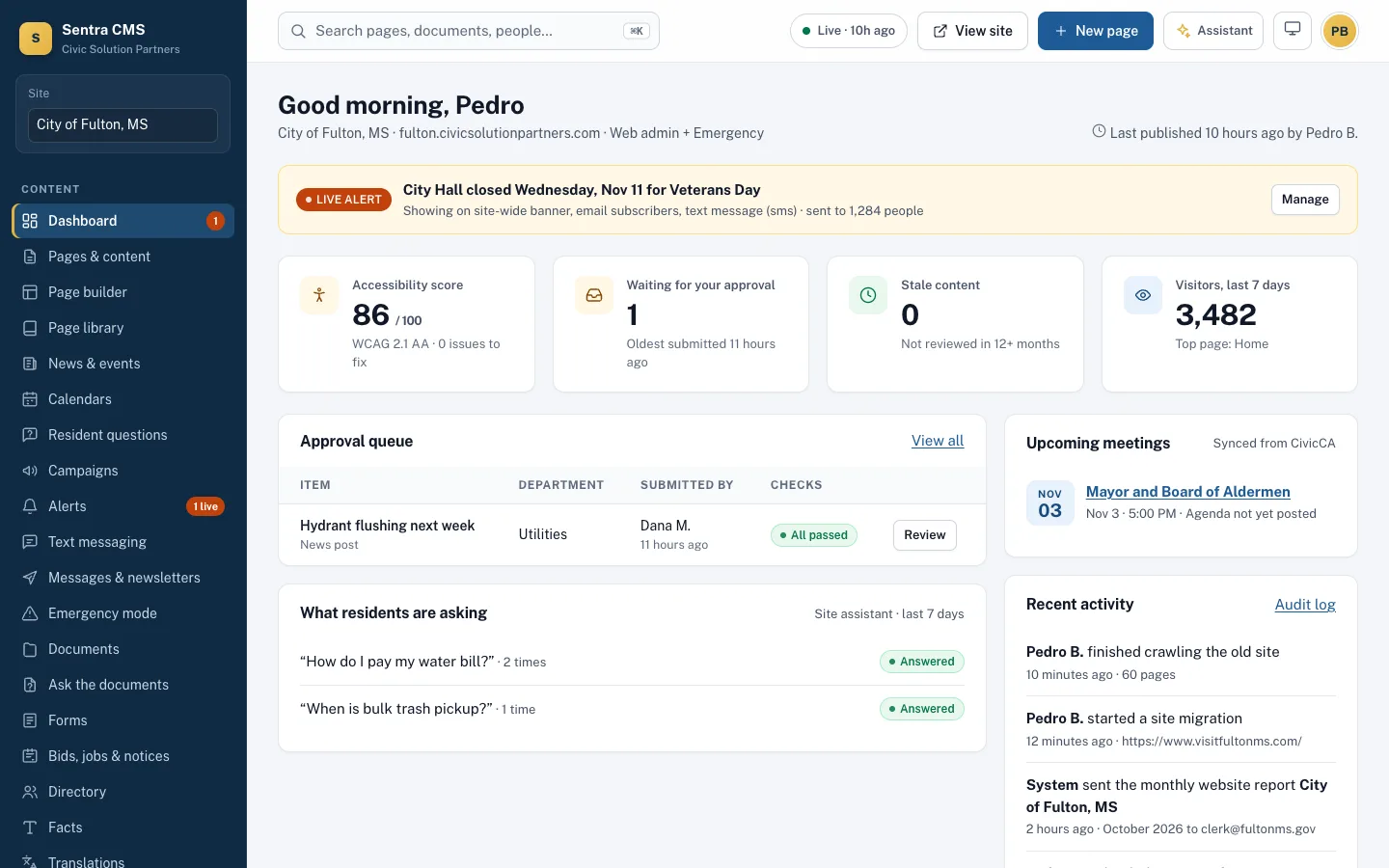
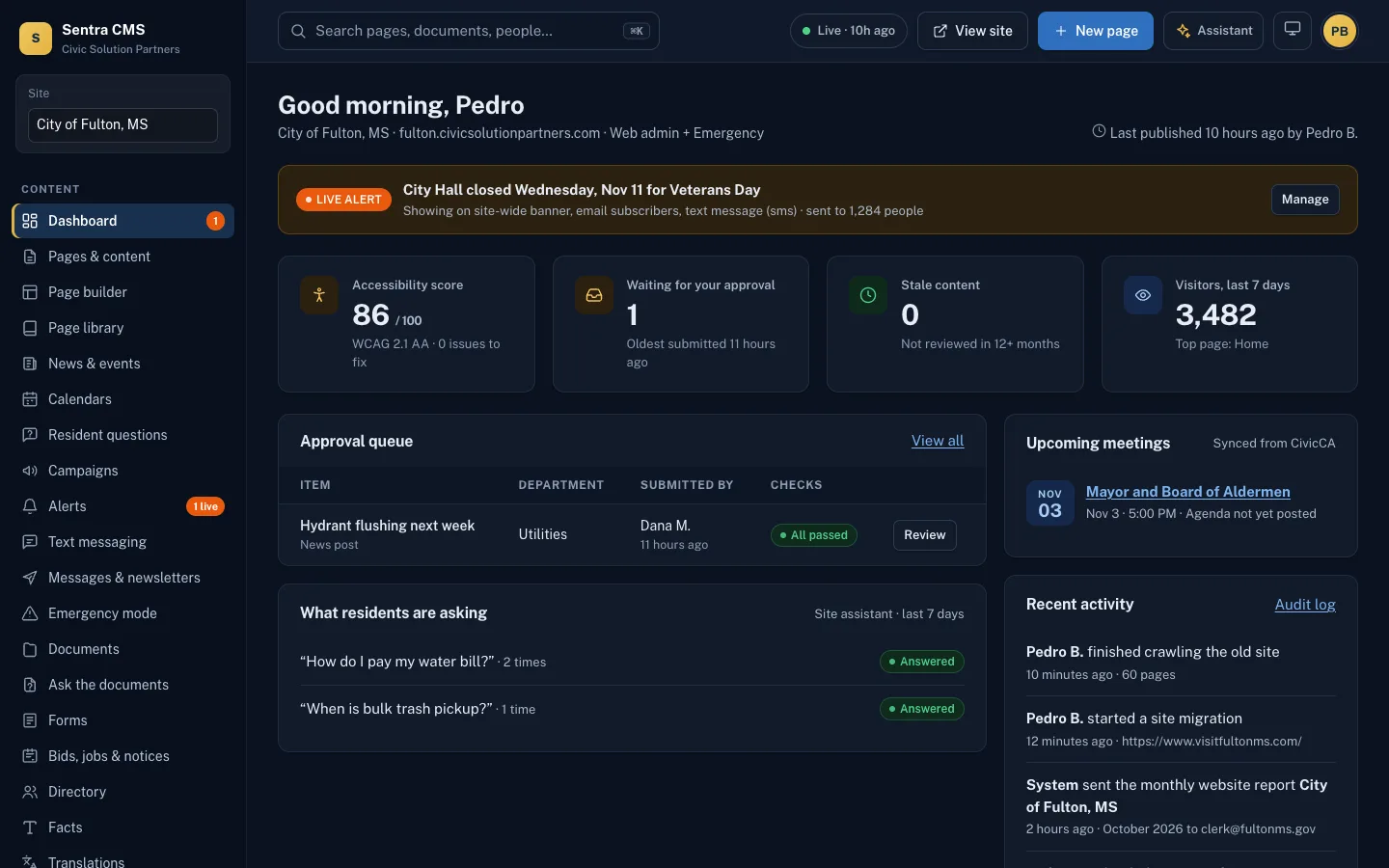
Try the theme button at the top: the admin works in light and dark mode.
ADA Title II web rule: state and local governments, including school districts, must meet WCAG 2.1 AA — April 26, 2027 for 50,000+ people and April 26, 2028 for smaller governments and all special districts, after the Justice Department’s April 2026 extension. Dates could change again; the standard did not.
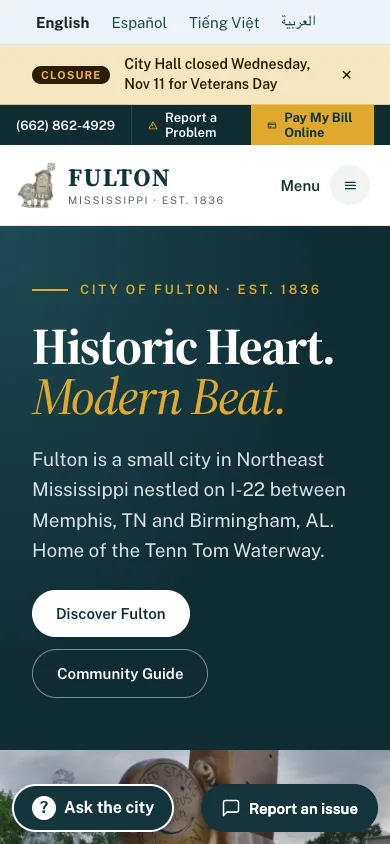
What the rule requiresBuilt with the City of Fulton, Mississippi — our launch city, moving from a hand-built site and a Wix site to Sentra CMS.
Read the case studyMost city web teams are one or two people with other jobs. Sentra CMS does the checking, so they can do the communicating.
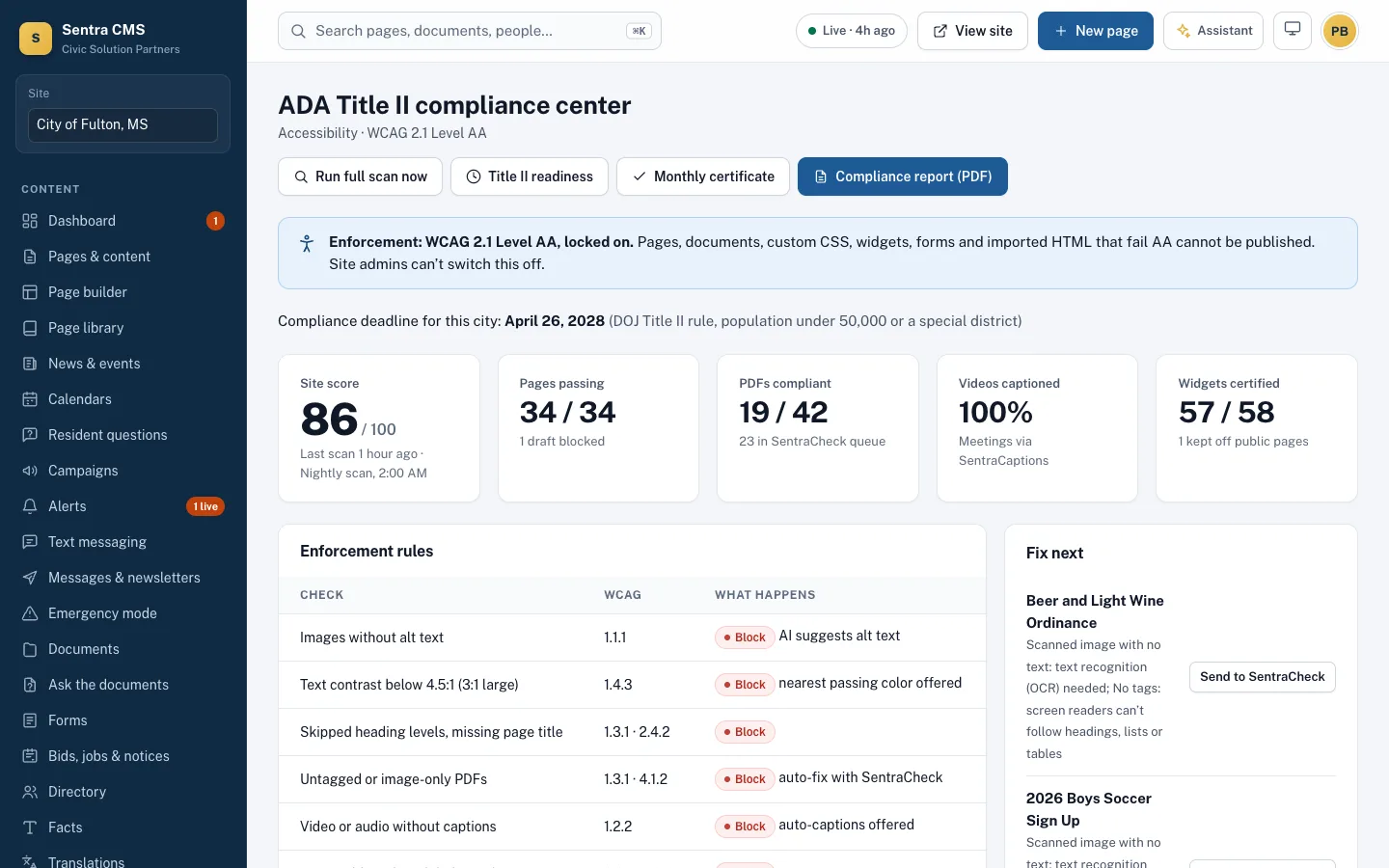
Pages, PDFs, forms, widgets and themes are checked against WCAG 2.1 AA before they can be published.
Learn moreImport any HTML design — from an agency, a designer or Claude — and editors get simple fields. Or start from our city theme.
Learn moreEvery publish is a commit in a Git repository your city owns. Roll back any change; leave any time with everything.
Learn moreAsk for a change in plain English. The assistant drafts it with a before-and-after for a person to approve.
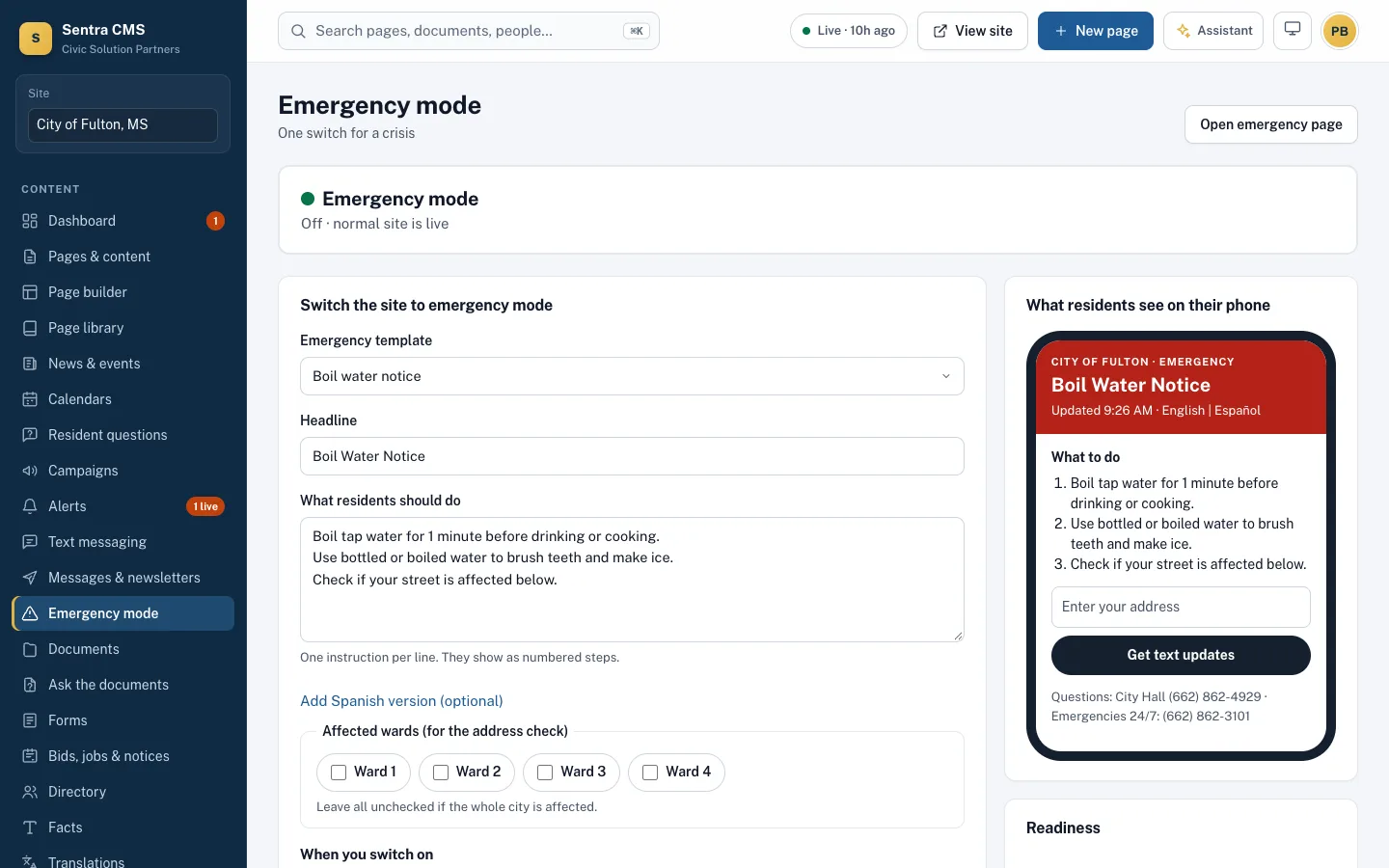
Learn moreOne switch turns the homepage into a fast emergency page and sends alerts by banner, email, text and app.
Learn moreCivicCA meetings, Sentra 311 requests, SentraCheck PDFs, SentraCaptions and more — built in.
Learn moreEditors draft, department heads approve; staff sign in with MFA or Microsoft, Google or Clerk, and every change is logged.
Learn moreMachine translation to start, approved by a person, published as real pages search engines can find.
Learn moreDistrict and school sites with closures, menus, bell schedules, athletics, buses and teacher pages.
Learn moreNew: staff ask a question and get the answer from every city PDF and set of minutes, with page citations.
Learn moreResidents get answers only from your own site, with sources; anything else goes to the right department.
Learn moreAlerts and newsletters go out through your city’s own Resend and Twilio accounts, from your name and number.
Learn moreClick text and type. Add blocks for services, meetings, forms and maps. The design stays locked, so every page looks like your city.
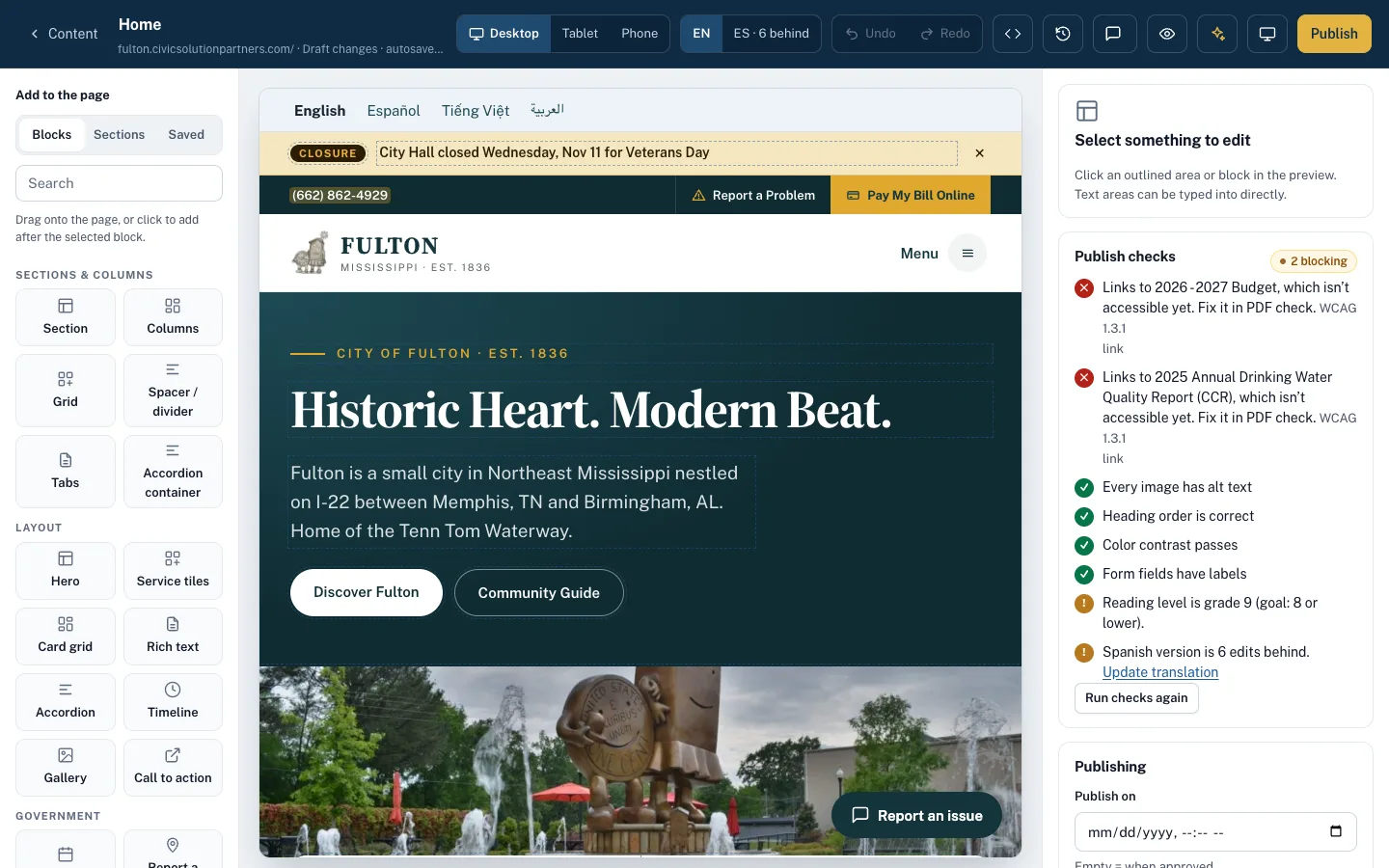
The AA gate checks every change — from editors, the API and the AI assistant — and explains each problem with a fix.
Reviewed templates in English and Spanish, one switch for the homepage, and alerts everywhere residents are.
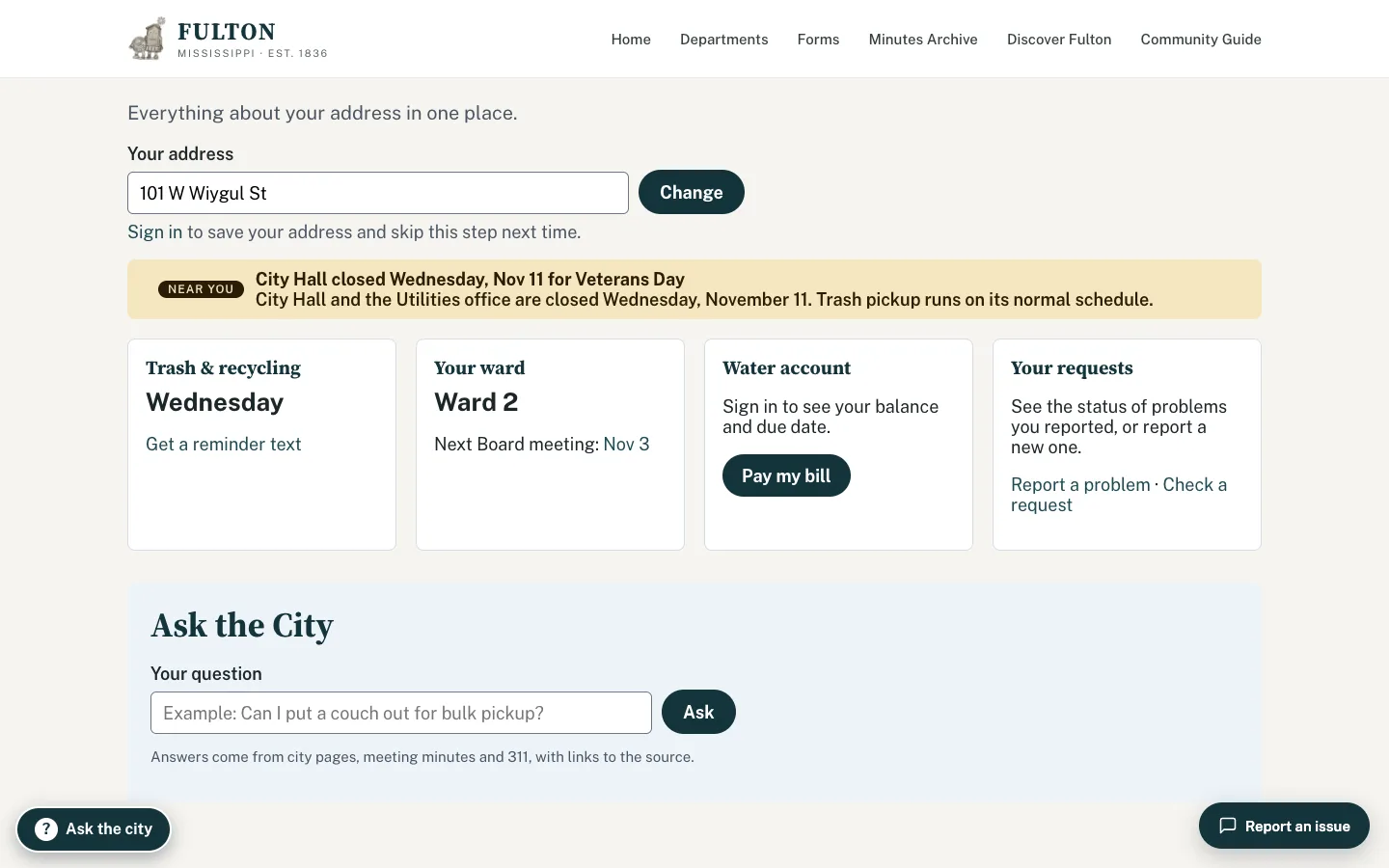
My City shows a resident’s ward, trash day, polling place and nearby alerts. Smart search answers from your pages, PDFs and minutes.
Real tasks, start to finish. Each one is built and working today.
The clerk posts Tuesday’s agenda in CivicCA
ThenIt appears on the Meetings page and the master calendar within minutes — nobody touches the website.
Meetings & calendars (CivicCA)A water main breaks on Main Street at 6 a.m.
ThenPick the boil-water template, target Ward 2, send: banner, text, voice call and email go out together, in English and Spanish.
Emergency mode, alerts & newsletters“How much did we approve for paving Spring Street?”
Then$29,800, from the April 21, 2026 Board minutes — with a link to the exact page.
Ask the documentsAn editor uploads a photo with no alt text
ThenPublish is blocked. The AI suggests a description from the photo; the editor confirms or marks it decorative.
Accessibility enforcementThe library clerk needs to change Saturday hours
ThenShe clicks the hours on the live page, types the new ones and presses Publish. No training manual.
Page builder“Can I keep chickens in town?” isn’t on any page
ThenThe question goes to Planning; their reply reaches the resident by email — and suggests a new FAQ.
AI assistant & content advisorThe English Utilities page changes
ThenThe approved Spanish version is flagged as outdated, so a reviewer updates it — it’s never silently overwritten.
TranslationsSnow overnight: the district delays two hours
ThenOne closure post updates the district and every school homepage and texts, emails and pushes families.
K-12 schools packWe scan your current site’s pages and PDFs against WCAG 2.1 AA.
Plain-English reportEvery page and document is mapped to its new home. You review the plan.
Pages import as drafts; PDFs are checked; images get alt text suggestions.
Your staff review drafts and learn the editor on their own pages.
Switch the domain. Every old address redirects to its new page.
No broken linksSentra CMS is made by Computer Systems Plus, Inc., a family-owned Fresno software company serving public agencies since 1990.
Agendas, meetings, minutes and votes for councils and boards
Learn moreService requests from residents, with crews and status updates
Learn moreAccessibility scanning and PDF remediation
Learn moreOnline scheduling and booking
Learn moreLive captions for public meetings
Learn moreSB 255 recorder notices for California counties
Learn moreAccessibility conformance report (VPAT/ACR) review
Learn moreAlready use CivicCA, Sentra 311, SentraCheck, SentraScheduler, SentraCaptions, SentraDeed or GOVvpat? You get a discount on Sentra CMS.
Get a quoteChoosing a website platform is a ten-year decision. Twenty questions to ask any vendor — about accessibility, ownership, emergencies, records and cost.
Council decisions change fees, hours and rules — but websites often lag weeks behind. A simple process for publishing what was decided, in plain language.
AI can draft pages, suggest alt text and answer resident questions. Five guardrails that keep a person in charge and residents’ trust intact.
Pricing is by quote, based on your population, departments and needs. Agencies that already use any of our products get a discount. Get a quote.
Yes. Import it as an HTML template and Sentra CMS makes the content editable, or start from our accessible city theme.
Sentra CMS enforces WCAG 2.1 AA on everything published through it and helps you fix what’s already there — at the source, with no overlay widget. No tool catches every barrier, so we also recommend a manual review, which is part of every migration.
Your choice: your own host deploying from your Git repository, cloud storage, or our hosting in the United States.
No. Everything works in a browser, including alerts by web push. Sentra 311 offers apps for residents who want them.
We’ll scan your current site for free, then show you what it looks like on Sentra CMS, accessible from day one.